
How to use VPN for PC users
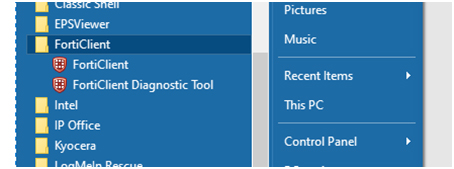
Open FortiClient program
Start > All Programs > FortiClient > FortiClient
On the left side, click “Remote Access”
Type in your TFK username and Password
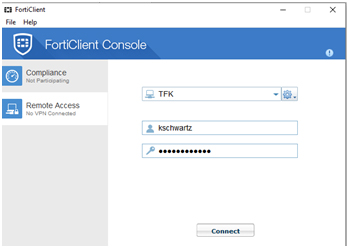
Click Connect and wait for the connection to finish.
Once it is complete this window will close and you will be able to use TFK network resources including all of your shared drives.